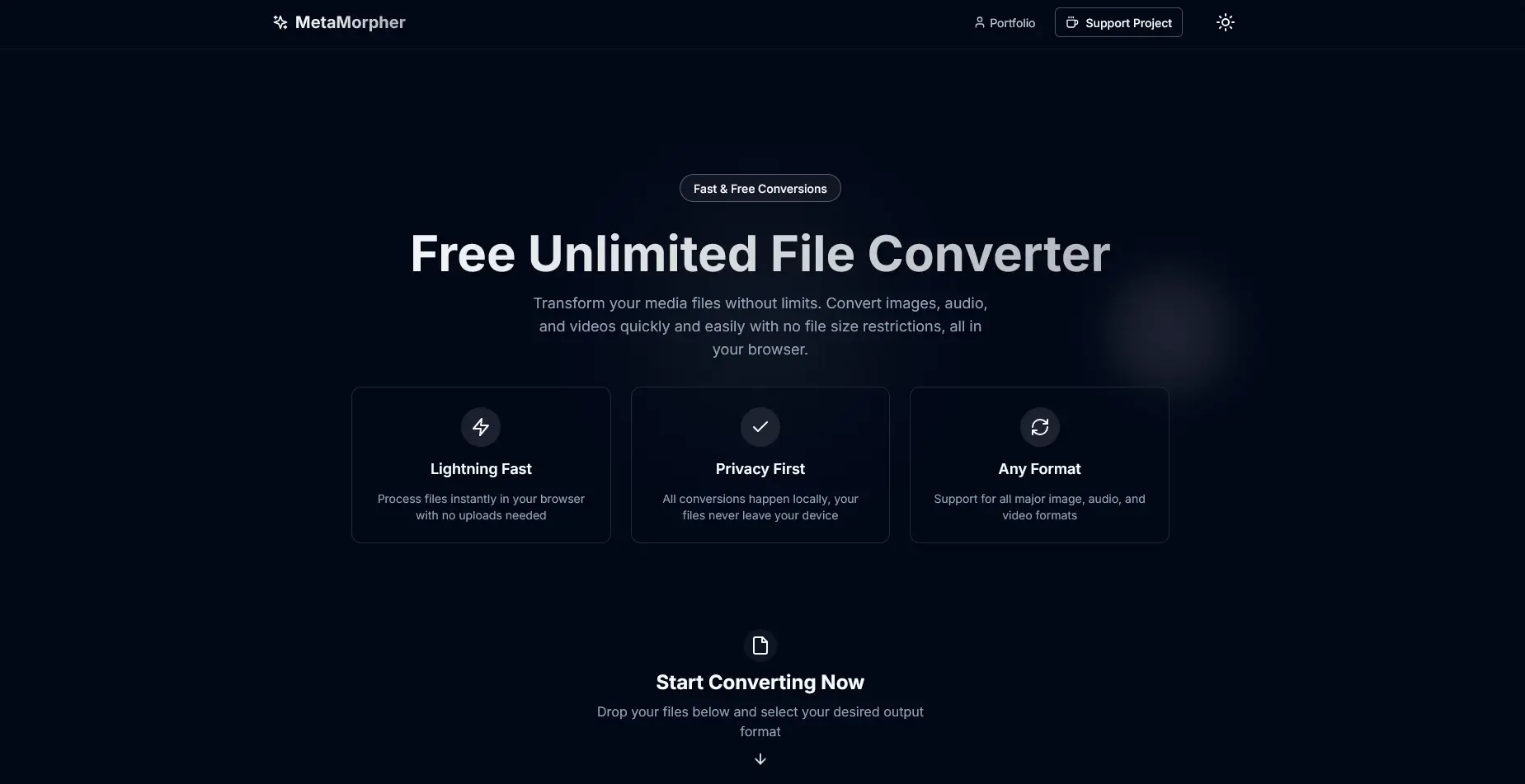
MetaMorpher - Privacy-First File Conversion Platform
Free, unlimited file converter that runs entirely in the browser, supporting 700+ conversion types with PWA capabilities
Timeline
2 months
Role
Full Stack Developer
Team
Solo
Status
CompletedTechnology Stack
Key Challenges
- WebAssembly FFmpeg Integration
- Multi-Format Document Processing
- PWA Offline Support
- Browser Performance Optimization
- ZIP Archive Handling
Key Learnings
- FFmpeg.wasm
- WebAssembly
- Progressive Web Apps
- Client-side Processing
- PDF Manipulation
- Service Workers
- Document Conversion Pipelines
MetaMorpher - Privacy-First File Conversion Platform
Overview
MetaMorpher is a privacy-first file converter that runs WebAssembly to do all its work in the browser. It handles 700+ conversion types across images, videos, audio, and documents. Because nothing gets uploaded, speeds stay close to native and your files never leave your machine.
Problem Statement
Most online converters make you upload your files to a server first. That's a privacy problem, and it's slow. I wanted a way to convert media files quickly without handing the data to someone else.
Solution
MetaMorpher runs FFmpeg in the browser through WebAssembly, so every conversion happens on the client. For documents it pulls in PDF.js, jsPDF, and Mammoth.js. Nothing gets uploaded, which means better privacy and no round trip to a server. It installs as a Progressive Web App and works offline too.
Key Features
700+ Conversion Types Supported
Media Formats
- Images (144 conversions): JPG, JPEG, PNG, GIF, BMP, WEBP, ICO, TIF, TIFF, SVG, RAW, TGA
- Videos (256+ conversions): MP4, M4V, MP4V, 3GP, 3G2, AVI, MOV, WMV, MKV, FLV, OGV, WEBM, H264, HEVC
- Audio (49 conversions): MP3, WAV, OGG, AAC, WMA, FLAC, M4A
- Video ↔ GIF: 100+ bidirectional conversions for motion graphics
Document Processing
- Markdown: → PDF, HTML
- HTML: → PDF
- Text: → PDF
- DOCX: → PDF, HTML, Markdown
- PDF: Multi-page extraction to images + automatic ZIP
Advanced Features
Video & Image Operations
- Video Thumbnail Extraction: Extract high-quality frames at 1-second mark
- Multi-Page PDF to Images: Converts all pages with automatic ZIP bundling
- Images to PDF Creator: Drag-to-reorder interface for custom PDF creation
- Scale-Based Rendering: 2x quality rendering for crisp outputs
Progressive Web App (PWA)
- Installable: Desktop and mobile app installation
- Offline Support: Full functionality without internet after first visit
- Auto-Updates: Automatic updates on redeploy with skip-waiting
- Service Worker: Caches app files for lightning-fast loading
- Standalone Mode: No browser UI, like a native app
100% Privacy-Focused
- All conversions happen in your browser using WebAssembly
- Zero file uploads to servers
- No tracking or analytics on file content
- Local processing with HTML sanitization
- Your data stays yours
70% Faster Processing
- WebAssembly provides native-like conversion speeds
- No upload/download overhead
- Direct browser processing
- Parallel processing potential
Professional UI/UX
- Drag-and-drop file upload interface with react-dropzone
- Real-time file validation and progress tracking
- Format-specific conversion options
- Toast notifications for feedback
- Dark/Light mode support with next-themes
- Mobile-responsive grid layouts
- Dynamic file type icons
- Human-readable file size display
Tech Stack
Frontend Framework
- Next.js 15 - React framework with optimized builds and App Router
- React 19 - Latest component-based UI library
- TypeScript - Full type safety across entire codebase
Multimedia Processing Engines
- FFmpeg.wasm (v0.12.6) - Core conversion engine for video, audio, and images
- Loads from CDN (unpkg.com @core 0.12.2)
- WebAssembly for performance-critical operations
- Handles 700+ conversion types at native speeds
- PDF.js (v5.4.530) - PDF parsing and rendering
- jsPDF (v3.0.4) - Client-side PDF generation
- Mammoth.js (v1.11.0) - DOCX to HTML/Markdown conversion
Document & File Handling
- markdown-it (v14.1.0) - Markdown parsing and rendering
- html2canvas (v1.4.1) - HTML to image rendering
- DOMPurify (v3.3.1) - HTML sanitization for security
- JSZip (v3.10.1) - ZIP archive creation/extraction for multi-file downloads
- react-dropzone (v14.3.8) - Advanced drag-and-drop file upload
UI Components & Styling
- Tailwind CSS 3 - Utility-first CSS framework with dark mode
- shadcn/ui - Pre-built, customizable UI components
- Radix UI - Accessible component primitives (Dialog, Select, Tabs, Toast)
- lucide-react - Comprehensive icon library (562 icons)
- react-icons - Additional icon sets
Progressive Web App
- next-pwa (v5.6.0) - Service worker and PWA implementation
- next-themes (v0.4.6) - Dark/light mode management
Analytics & Performance
- Vercel Analytics - Performance tracking
- react-ga4 (v2.1.0) - Google Analytics 4 integration
Build Tools
- ESLint - Code quality enforcement with Airbnb config
- Autoprefixer - CSS vendor prefix support
- PostCSS - CSS processing pipeline
Technical Implementation
WebAssembly FFmpeg Integration
File: utils/load-ffmpeg.ts
- Lazy loads FFmpeg.wasm from CDN (unpkg.com)
- Uses
toBlobURLfor CORS-safe resource loading - Async initialization before conversion starts
- Command-based operation:
['-i', input, output] - Specialized 3GP encoding with custom parameters
- Efficient memory management for large files
Conversion Pipeline Architecture
File: utils/convert.ts (216 lines)
Conversion Flow:
- File type detection via extension
- Format-specific routing:
- PDF operations →
pdf-converter.ts - Document conversions →
document-converter.ts - Media files → FFmpeg WebAssembly execution
- PDF operations →
- Blob creation and URL generation for download
Document Conversion Pipeline
File: utils/document-converter.ts (235 lines)
Supported Conversions:
- Markdown: markdown-it parser → HTML rendering → jsPDF generation
- DOCX: Mammoth.js extraction → HTML processing → PDF/Markdown output
- HTML: DOMPurify sanitization → DOM traversal → Text layout → PDF
- Configurable page sizes (A4, Letter, Legal) and orientations
- Dynamic imports for optimal bundle size
PDF Operations
File: utils/pdf-converter.ts (192 lines)
Features:
- Multi-page detection and handling
- Scale-based rendering (2x for quality)
- Canvas-based page rendering with proper dimensions
- Automatic ZIP creation for multi-page outputs
- Sequential page naming (page-1.jpg, page-2.jpg, etc.)
Archive Handling
File: utils/archive-converter.ts (68 lines)
Capabilities:
- ZIP creation from file arrays using JSZip
- ZIP extraction with filename preservation
- Batch download functionality via zip bundling
- Automatic multi-file packaging
Progressive Web App Implementation
Service Worker Features:
- Auto-generated during build
- Caches app files for offline access
- Full offline functionality after first visit
- Updates on redeploy with skip-waiting
- 192px and 512px app icons
Installation Methods:
- Desktop (Chrome/Edge): Install icon in address bar
- Android: Menu → "Install app"
- iOS: Safari share → "Add to Home Screen"
Performance Optimizations
Code Splitting:
- Dynamic imports for large libraries (jsPDF, markdown-it, mammoth)
- Lazy loading of FFmpeg only when needed
- Route-based code splitting by Next.js
- Efficient blob creation and URL management
UI Responsiveness:
- React hooks for state management (useState, useRef, useEffect)
- Tabs-based interface preventing unnecessary component loading
- Skeleton loading states during FFmpeg initialization
- Real-time progress indication
Build Optimization:
- Next.js automatic code splitting
- Tailwind CSS purging for minimal bundle
- ESLint compliance for maintainability
- Image optimization ready
What I Learned
A few things I picked up building MetaMorpher:
- WebAssembly Integration: Loading and running FFmpeg.wasm inside the browser
- Client-Side Processing: Doing multimedia conversions with no server behind them
- PWA Development: Service workers, caching strategies, and offline-first architecture
- Document Processing: PDF manipulation, DOCX parsing, and Markdown rendering
- File System APIs: Blob handling, ZIP creation, and multi-file downloads
- Performance Optimization: Dynamic imports, lazy loading, and code splitting
- Browser APIs: Canvas rendering, the File API, and URL object management
- Component Architecture: Building out the UI with shadcn/ui and Radix primitives
- Security Best Practices: HTML sanitization with DOMPurify for document conversions
- Type Safety: TypeScript strict mode across the conversion pipelines
Impact
MetaMorpher converts media files fast and keeps everything on the user's device. It's free and open source, but the feature set holds up against paid tools.
Results:
- 700+ Conversions: Comprehensive format support across all media types
- 70% Faster: Processing compared to cloud-based alternatives
- 100% Private: No server uploads, complete client-side processing
- PWA Ready: Installable app with full offline support
- Zero Cost: Free, unlimited conversions with no restrictions
- Production Grade: 48 dependencies wired together and shipping
- Type Safe: Full TypeScript coverage across all conversion pipelines
- Global Reach: Deployed on Vercel with CDN distribution
Architecture Highlights
Component Structure:
- app/page.tsx - Main landing page with hero section
- components/dropzone.tsx - 800-line comprehensive file upload interface
- components/images-to-pdf.tsx - Dedicated image-to-PDF creator with drag-to-reorder
- utils/convert.ts (216 lines) - Main conversion routing logic
- utils/document-converter.ts (235 lines) - Document processing pipeline
- utils/pdf-converter.ts (192 lines) - PDF operations and multi-page handling
- utils/archive-converter.ts (68 lines) - ZIP creation and extraction
Technical Metrics:
- 48 production dependencies
- 15+ custom components
- 8 utility modules
- 700+ supported conversions
- Installable PWA on all platforms
Security Features
- HTML Sanitization: DOMPurify for document conversions
- Client-Side Only: No server exposure or data transmission
- Safe File Handling: No automatic execution or dangerous operations
- CSP Compatible: Safe for content security policies
- Privacy First: Zero tracking on file content