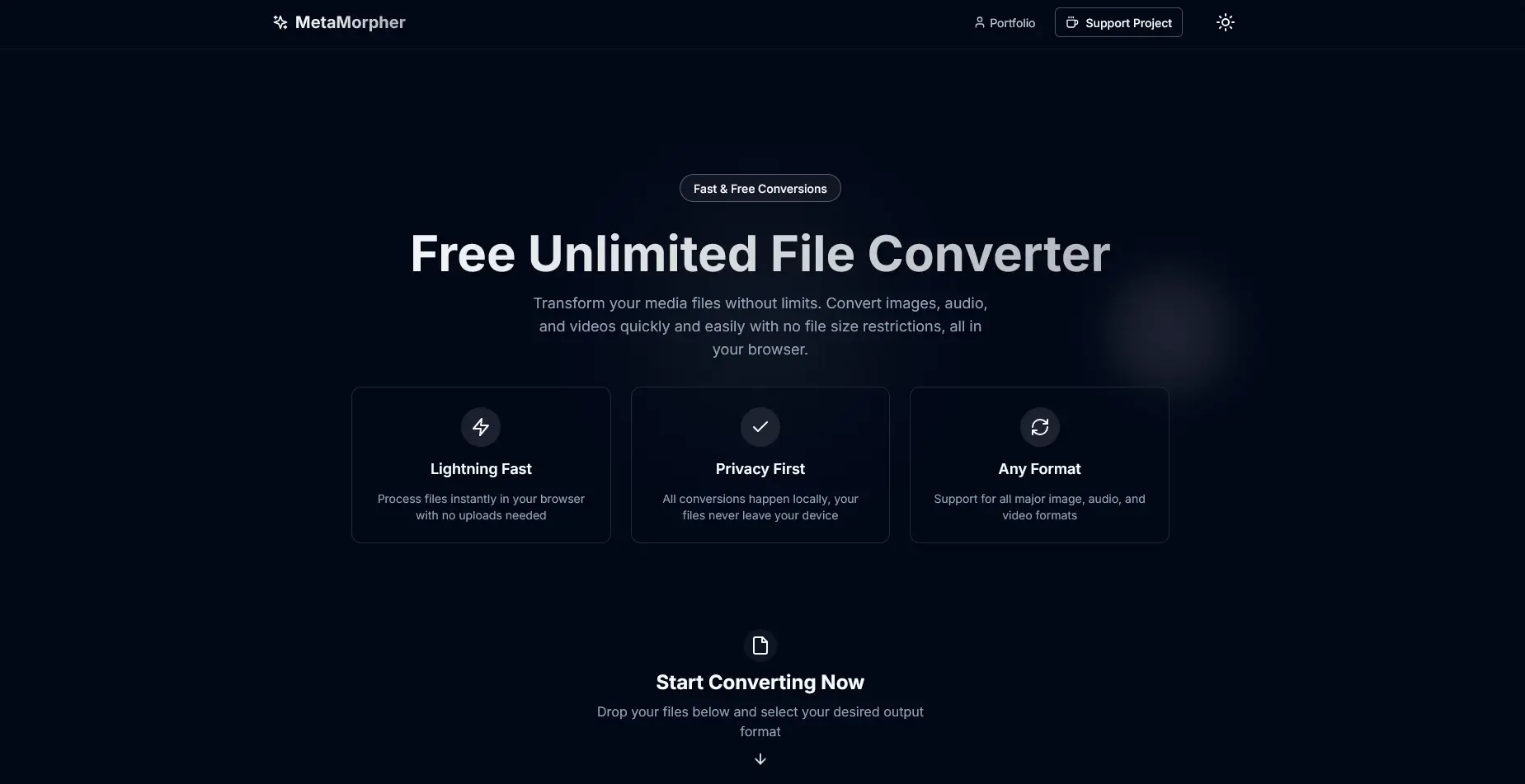
Building MetaMorpher: 700+ File Conversions, Zero Uploads
How I built a privacy-first file converter that runs entirely in the browser with FFmpeg compiled to WebAssembly. 700+ formats, full offline PWA support, and not a single byte sent to a server.
MetaMorpher started with a simple question. Why does converting a file to a different format require handing my data to a stranger's server? I wanted a converter that was fast, free, and, most importantly, never uploaded anything. The answer was MetaMorpher, a privacy-first conversion platform that supports 700+ conversion types across images, videos, audio, and documents, all running 100% client-side in the browser. Your files never leave your device. There is no backend to leak them.
This is the story of how I built it over two months as a solo project, plus the technical decisions that made fully in-browser conversion actually viable.
The problem
Every traditional file converter works the same way. You drag in a file, it gets uploaded to a server, something happens out of your sight, and a converted file comes back down. That model has two costs I was no longer willing to pay.
The first is privacy. Your files (invoices, ID scans, family photos, draft contracts) sit on someone else's infrastructure, however briefly. You have no real way to verify they're deleted, not logged, not analyzed.
The second is latency. Every conversion pays an upload tax and a download tax on top of the actual processing. For a large video, that round trip can dwarf the conversion itself.
The fix was to delete the server entirely. If the conversion happens in the browser, there's no upload, no download overhead, and no privacy question to answer, because there's nothing being transmitted in the first place.
FFmpeg in the browser
The heart of any media converter is FFmpeg, and the breakthrough that made MetaMorpher possible is FFmpeg.wasm, which is FFmpeg compiled to WebAssembly. It runs the same command-based engine you'd run on a server, except it executes inside the browser tab at near-native speed.
FFmpeg.wasm is not small, so I never want to load it until it's actually needed. The engine is lazy-loaded from a CDN (unpkg.com) only when a media conversion is about to run. The catch with loading WASM and its core files cross-origin is CORS. You can't just point the runtime at a remote URL. The trick is toBlobURL, which fetches each resource and re-serves it as a local blob URL, sidestepping the CORS restrictions cleanly. Initialization is fully async and completes before any conversion starts.
Once loaded, operations are command-based, exactly like the FFmpeg CLI:
// utils/load-ffmpeg.ts — the core conversion call
await ffmpeg.exec(['-i', inputFile, outputFile]);

// some targets need custom encoding parameters,
// e.g. specialized 3GP encoding handled as its own case
A few things mattered here beyond just getting it running. Memory management is real when you're handing multi-hundred-megabyte video files to a WASM runtime inside a tab, so the load utility (utils/load-ffmpeg.ts) is careful about how large files are handled. And certain formats, 3GP in particular, needed custom encoding parameters rather than the generic -i input output path.
The conversion pipeline
FFmpeg handles media, but documents and PDFs need entirely different tooling. So the real architecture is a router. Every file that comes in goes through utils/convert.ts, the main routing logic, which detects the file type by extension and dispatches to the right engine.
The flow is straightforward:
- Detect the file type via its extension.
- Route format-specifically. PDF operations go to
pdf-converter.ts, document conversions go todocument-converter.ts, and everything media goes to FFmpeg WebAssembly. - Generate a Blob and an object URL from the result so the browser can download it.
That last step is the nice part of a client-side design. The "download" is just a local object URL pointing at a Blob already sitting in memory. Nothing is fetched.
Here's how the 700+ conversions break down by category:
| Category | Example formats | Notes |
|---|---|---|
| Images | JPG, PNG, GIF, BMP, WEBP, ICO, TIFF, SVG, RAW, TGA | 144 conversions |
| Videos | MP4, MOV, AVI, WMV, MKV, FLV, WEBM, H264, HEVC, 3GP | 256+ conversions |
| Audio | MP3, WAV, OGG, AAC, WMA, FLAC, M4A | 49 conversions |
| Video ↔ GIF | MP4 → GIF and back | 100+ bidirectional, for motion graphics |
| Documents | Markdown, HTML, Text, DOCX, PDF | Routed to dedicated document/PDF converters |
Documents & PDFs
Documents were the half of the project FFmpeg couldn't touch, and they needed their own pipeline in utils/document-converter.ts.
Markdown is parsed with markdown-it into HTML, then rendered into a PDF via jsPDF. DOCX files are trickier. I use Mammoth.js to extract their content into clean HTML, which can then flow out to PDF or Markdown. Raw HTML conversions run through DOMPurify first for sanitization, then DOM traversal and text layout before being laid into a PDF. That sanitization step is not optional. Any time you take untrusted HTML and render it, DOMPurify is what stands between you and an injected script. The converter also supports configurable page sizes (A4, Letter, Legal) and orientations.
PDFs get their own module, utils/pdf-converter.ts. The marquee feature is multi-page extraction. Each page is rendered to a canvas at 2x scale for crisp output, named sequentially (page-1.jpg, page-2.jpg, and so on). And because a single PDF can produce dozens of images, they're bundled automatically into a ZIP using JSZip so the user gets one clean download instead of a flood of files.
Making it a PWA
Once everything runs in the browser, an obvious next step presents itself. If there's no server, why does the app need the internet at all?
Using next-pwa, MetaMorpher ships a service worker that's auto-generated at build time and caches the app's files. After your very first visit, the entire app works fully offline. Every conversion, every format, no connection required. It's installable as a standalone app on desktop (the install icon in Chrome/Edge's address bar), Android ("Install app" from the menu), and iOS (Safari's "Add to Home Screen"), launching without browser chrome like a native app.
The one tricky part of caching everything is updates. A stale service worker will happily serve old code forever. I handle that with skip-waiting, so when I redeploy, the new service worker activates immediately instead of waiting for every tab to close.
Performance
A fully client-side app lives and dies by what it makes the browser download up front. MetaMorpher leans on several heavy libraries, so aggressive splitting was essential.
The biggest win is lazy-loading FFmpeg, the single largest dependency, only when a media conversion actually runs. Beyond that, the heavy document libraries (jsPDF, markdown-it, Mammoth) are pulled in via dynamic imports rather than the initial bundle, and Next.js handles route-based code splitting automatically. The net effect is that landing on the page doesn't make you pay for capabilities you may never use. Each engine is fetched on demand.
Challenges I ran into
A few problems took real work to get right:
- WebAssembly FFmpeg integration: getting the WASM runtime to load cross-origin without tripping CORS, initializing it asynchronously, and managing memory for large files.
- Multi-format document processing: wiring up markdown-it, jsPDF, and Mammoth into a single coherent pipeline that produces consistent output across Markdown, HTML, DOCX, and text inputs.
- PWA offline support: making the entire app actually work without a connection, and handling updates cleanly with skip-waiting.
- Browser performance optimization: keeping the initial load lean despite a stack of heavy libraries, through dynamic imports and code splitting.
- ZIP archive handling: assembling multi-page PDF output and batch conversions into clean ZIP downloads with JSZip.
What I learned
This project pushed me deep into corners of the browser platform I'd never fully explored. The headline lesson was WebAssembly integration: actually loading and executing FFmpeg.wasm in a browser environment, and everything that implies about doing serious multimedia work with no server-side infrastructure at all.
Along the way I got hands-on with PWA development, things like service workers, caching strategies, and offline-first architecture. I learned document processing in depth: PDF manipulation, DOCX parsing, and Markdown rendering. I used the browser's File System and related APIs for Blob handling, ZIP creation, and multi-file download management, plus Canvas rendering and URL object management. And throughout, I reinforced practical habits around performance optimization (dynamic imports, lazy loading, code splitting), security (HTML sanitization with DOMPurify), and type safety with TypeScript's strict mode across complex conversion pipelines.
The deeper takeaway is that the browser is far more capable than we tend to assume. An entire category of tools that "obviously" needs a backend often doesn't.
Try it
MetaMorpher is live and free, with no limits and no uploads. Try it at metamorpher.kroszborg.co. Drag in a file, watch it convert without a single byte leaving your machine, then turn off your Wi-Fi and watch it keep working.