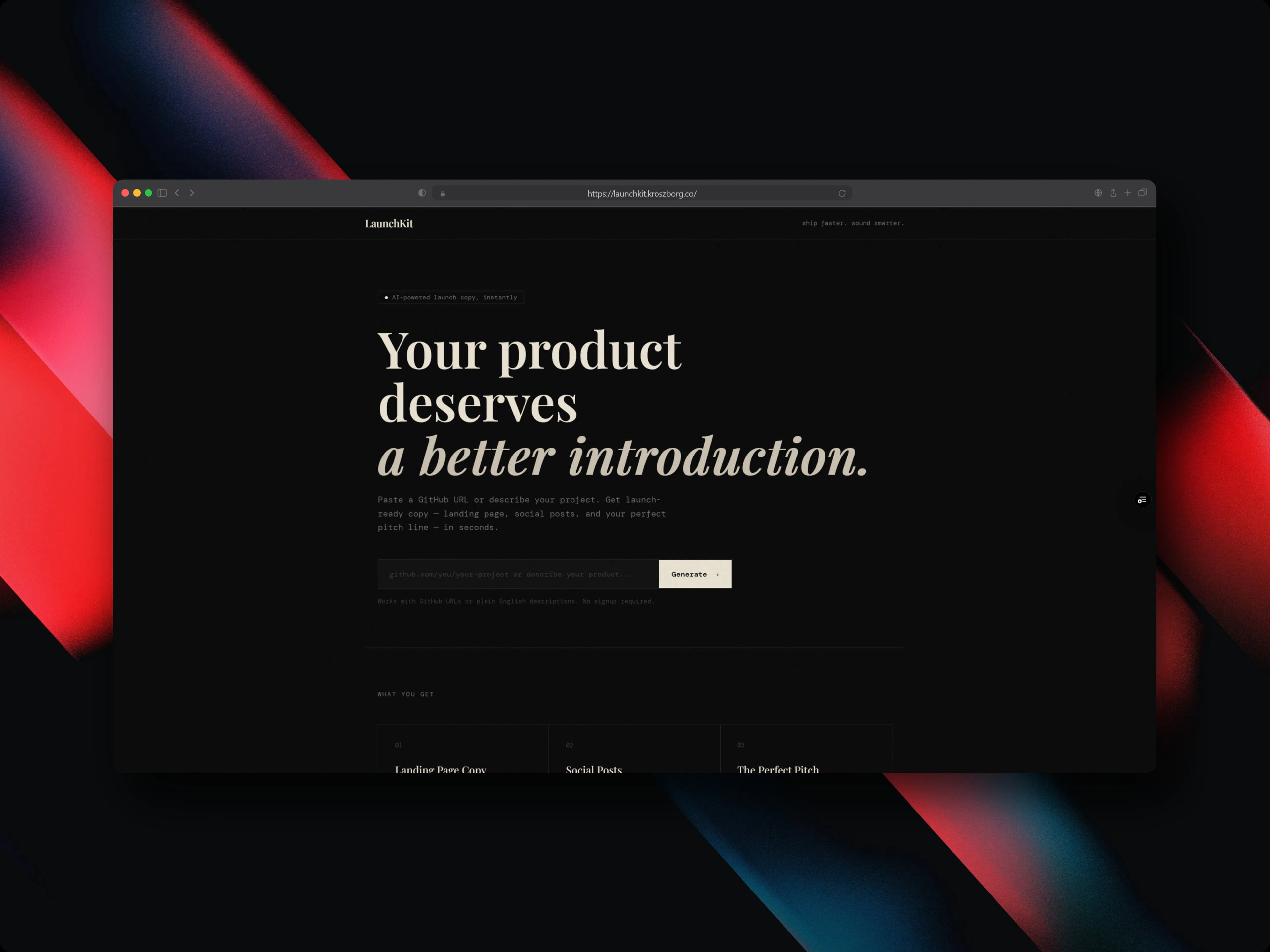
Building LaunchKit: Streaming AI Launch Copy
How I built an AI tool that turns a GitHub URL or a sentence into a full launch package: landing page copy, platform-tuned social posts, and a perfect pitch, all streamed in real time.
LaunchKit is an AI tool that turns a GitHub URL or a plain-text description into a complete launch package. Paste your repo or describe what you built, and it generates a full landing page, platform-tuned social posts for Twitter/X, LinkedIn, and Product Hunt, plus a single-sentence perfect pitch. Everything streams in real time, with no signup required. Here's how I built it.
The problem
Launching a side project is rarely blocked by the code. It's blocked by the writing.
To ship something properly, you have to describe the same project five different ways for five different audiences. You need a landing page with a headline, a subheadline, and a call-to-action. You need a Twitter/X post that's punchy and fits the channel. You need a LinkedIn post that reads as professional and discoverable. You need a Product Hunt tagline that respects launch-day norms. And you need a one-liner pitch you can drop into a bio or a cold email.
That's a lot of context-switching, and each format wants a different tone and structure. It takes hours. Because it's tedious, it often gets skipped entirely, which is how good projects end up shipping quietly to no audience at all. When I went looking, there was no tool that handled all of it from a single input. So I built one.
The streaming architecture
The core experience I wanted: results appear as the model thinks, section by section, instead of staring at a spinner until everything is done. That goal shaped the whole architecture.
LaunchKit is built on the Vercel AI SDK. I use streamText for the open-ended prose generation and streamObject for the structured output sections. The latter lets me stream structured JSON token-by-token while still getting typed, parseable results on the other end. Zod handles schema validation so the structured output is reliable rather than hopeful.
The key decision was to make each output type its own independent stream. The landing page, the Twitter post, the LinkedIn post, the Product Hunt copy, and the pitch each run as a separate streamed request. Because they're independent, they appear progressively and in parallel. One section finishing doesn't block another from rendering, and the user sees output the moment any stream produces its first tokens.
On the frontend, each stream is rendered through useStreamableValue with a custom typewriter animation that displays characters as they arrive. Beyond looking good, the typewriter gives immediate feedback that generation is actually working. There's never a dead moment where the user wonders if anything is happening.
Prompt engineering
The hardest part of this project wasn't the streaming plumbing. It was getting consistent, structured marketing output across four different output types and many wildly different inputs.
My approach was to write five separate, purpose-built prompts, one per output type, rather than trying to make a single mega-prompt do everything. Each prompt specifies the exact tone, length constraints, structural requirements, and persona for its target platform. The Twitter prompt cares about the 280-character constraint and a developer audience. The LinkedIn prompt cares about professional narrative and reach. The Product Hunt prompt cares about launch-day community norms. Splitting them apart meant each one could be tuned in isolation without regressing the others.
For the landing page generator, I went further and built a 26KB landing page template (lib/landing-template.ts) that acts as a structural blueprint. It anchors the model to proven high-converting copy patterns, so the output follows a structure I trust instead of just sounding plausible. One thing that surprised me: prompt structure turned out to matter as much as prompt content for getting consistent results run after run.
I tested the prompts against edge cases I picked on purpose: tools with no README, highly technical projects, and consumer-facing apps. Those are exactly the inputs that break a brittle prompt.
Reading the project from its README
The feature I'm happiest about is that you can give LaunchKit just a GitHub URL and it figures out the rest.
When a URL is provided, LaunchKit fetches the repository's raw README directly from the GitHub raw content CDN (raw.githubusercontent.com). It then strips the Markdown formatting (headings, bold, links, code blocks) down to clean plain text, and injects that cleaned content as project context into the generation prompts.
The effect is that for any existing project, the README does the work. You don't have to write a manual description. The copy is generated from what you already documented.
The design system
I wanted LaunchKit to feel like a premium developer tool, not a generic AI form. That meant an editorial aesthetic: a near-black background with no gradients, warm off-white and muted ochre accents, serif headlines paired with a monospace body, and restrained motion. Fade-up reveals and the streaming typewriter, with no bounce or spring. The whole thing leans on flat outlined buttons, dark inputs, and sharp-cornered cards.
Here's the stack behind it:
| Layer | Technology | Role |
|---|---|---|
| Framework | Next.js 15.3.0 (App Router) | Turbopack dev, edge-ready deploys |
| UI runtime | React 19.1.0 | Server components, streaming-compatible tree |
| Language | TypeScript 5.8.3 | Strict mode, full type coverage |
| LLM | Google AI SDK (@ai-sdk/google) | Gemini model integration |
| AI orchestration | Vercel AI SDK (ai ^6.0) | streamText, streamObject, useStreamableValue |
| Styling | Tailwind CSS 4.2.1 | v4 architecture, no config file |
| Tooling | Bun 1.3.8 | Package manager and runtime |
| Validation | Zod | Schema validation for structured output |
The design tokens are simple but intentional: a #0a0a0a near-black background, a warm off-white #e8e0d0 accent alongside a muted ochre, Playfair Display for serif headlines, and DM Mono for body and code output.
The code is organized to keep the AI logic, the structural template, and the UI cleanly separated:
app/
  page.tsx          — Hero with product explanation and input form
  generate/         — Generation interface and streaming display
  api/              — Backend routes for AI calls and GitHub fetching
lib/
  ai.ts             — AI integration utilities and prompt builders
  landing-template.ts  — 26KB structural template for landing page generation
components/
  ui/               — Design system components
Challenges I ran into
A few things were hard to get right:
- Smooth real-time streaming. Streaming AI responses with a typewriter effect that feels smooth, not stuttering or laggy, took real care on the frontend rendering path.
- Platform-specific copy. Generating copy that actually fits each channel's tone and format constraints, rather than one generic blob reformatted five ways, was a constant tuning exercise.
- Reliable README parsing. Parsing GitHub README content well enough to extract meaningful project context, across every weird way people structure their READMEs, was harder than it sounds.
- Consistent structured output. Prompt engineering for consistent, structured marketing output across four output types meant fighting the model's natural variance run to run.
- Editorial UI without framework overhead. Designing an editorial-quality UI without leaning on a heavy frontend framework took discipline in the design system.
What I learned
Building LaunchKit taught me a lot that I'll carry into future projects:
- How to compose multiple independent AI streams that each update separate UI sections at the same time.
- Vercel AI SDK's
streamObjectfor getting structured JSON output streamed token-by-token. - Next.js 15 App Router edge runtime patterns for low-latency AI endpoint routing.
- That prompt structure, not just content, is what determines output consistency across runs.
- Bun as a drop-in runtime for Next.js: faster installs and a compatible dev server with no config changes.
Closing
LaunchKit takes the most time-consuming part of shipping a side project and turns it into a 30-second task. Paste a URL, watch the copy stream in, ship. No account, no payment, no configuration.
It's live at launchkit.kroszborg.co.